HTTP Error 502.5 - ANCM Out-Of-Process Startup Failure
I install ARAS in win10, iis 10 and .net 9 SDK, with Hosting Bundle also, but it display a error like this: I have no idea how to deal with it, where is the system event log? how to Enable logging message? HTTP Error 502.5 - ANCM Out-Of-Process Startup Failure Common solutions to this issue: The application process failed to start The application process started but then stopped The application process started but failed to listen on the configured port Troubleshooting steps: Check the system event log for error messages Enable logging the application process' stdout messages Attach a debugger to the application process and inspectSolved525Views0likes3Comments
MPP 2025 Release (14.0.3) Corrupt Archive
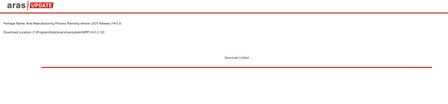
Hello, When attempting to download Manufacturing Process Planning version 2025 Release (14.0.3) via Aras Update, the "Download is failed." Aras Update logs: [embed:dc8ab71f-3b98-42d9-b0f6-e21e02a0f8e2:a821e795-7faf-4c9d-bb35-be36ae44a7df:type=text&text=2025-09-02%2009%3A54%3A55%2C868%20%5BERROR%5D%20%2811%29%20-%20System.IO.InvalidDataException%3A%20A%20local%20file%20header%20is%20corrupt.%0D%0A%20%20%20at%20System.IO.Compression.ZipArchiveEntry.ThrowIfNotOpenable%28Boolean%20needToUncompress%2C%20Boolean%20needToLoadIntoMemory%29%0D%0A%20%20%20at%20System.IO.Compression.ZipArchiveEntry.OpenInReadMode%28Boolean%20checkOpenable%29%0D%0A%20%20%20at%20System.IO.Compression.ZipFileExtensions.ExtractToFile%28ZipArchiveEntry%20source%2C%20String%20destinationFileName%2C%20Boolean%20overwrite%29%0D%0A%20%20%20at%20System.IO.Compression.ZipFileExtensions.ExtractToDirectory%28ZipArchive%20source%2C%20String%20destinationDirectoryName%29%0D%0A%20%20%20at%20System.IO.Compression.ZipFile.ExtractToDirectory%28String%20sourceArchiveFileName%2C%20String%20destinationDirectoryName%2C%20Encoding%20entryNameEncoding%29%0D%0A%20%20%20at%20Aras.Tools.ArasUpdateCore.Implementations.FileManager.DecompressZip%28String%20packagePath%2C%20String%20zipPath%2C%20String%20extractPath%2C%20Boolean%20isDeleteAfterDecompress%29%0D%0A%20%20%20at%20Aras.Tools.ArasUpdateCore.Implementations.Archiver.DecompressZip%28String%20packagePath%2C%20String%20zipPath%2C%20Boolean%20isDeleteAfterDecompress%29%0D%0A%20%20%20at%20Aras.Tools.ArasUpdateCore.Implementations.Commands.DecompressZipCommand.Execute%28CancellationToken%20cancellationToken%29%0D%0A%20%20%20at%20Aras.Tools.ArasUpdateCore.Implementations.Commands.CompositeCommands.DownloadCommand.Execute%28CancellationToken%20cancellationToken%29] Opened C:\ProgramData\Aras\ArasUpdate\MPP and attempted to manually extract 14.03.130, and extract fails: Tested the archive for 14.03.130 with 7-Zip, and it is reported as not an archive: Additionally, this issue was replicated on several systems, and I attempted to run Aras Update as Administrator. Are there any other options for getting the archive? I am not a subscriber, so I do not have FTP access.Solved194Views0likes3CommentsARAS 31 soap-env:server authentication failed for admin authentication failed for admin
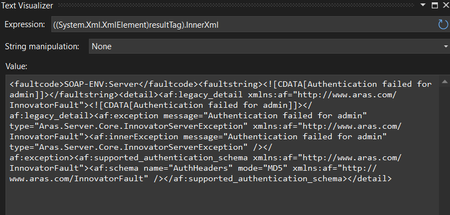
Hai, We have upgraded to ARAS 31 from 12. The migration is in progress. While login from application Its working fine. But while login from web API we are getting an error "soap-env:server authentication failed for admin authentication failed for admin" We have tried to give the password in MD5 hash format for username admin. But the error not yet solved. can anyone help us on this? Thanks in advance, Salini296Views0likes6Comments
Error: Cannot access OAuth Server due to 502 (Bad Gateway)
I'm attempting to install Aras 12 on a Windows 10 machine, following this guide: https://community.aras.com/b/english/posts/configuring-your-development-machine-for-aras-innovator After a bunch of attempts, I'm pretty sure I have all of the right things installed: .NET Framework 4.7.2 ASP.NET Core/.NET Core 2.1.8 Microsoft Visual C++ 2015 Redistributable IIS is turned on and all the correct features are activated SQL Server 2014 Aras installs without any issues, but when I try to connect to localhost/InnovatorServer, I get "Error: Cannot access OAuth Server due to 502 (Bad Gateway)" Going to Windows Event Viewer for more details, I get: Application 'MACHINE/WEBROOT/APPHOST/DEFAULT WEB SITE/INNOVATORSERVER/OAUTHSERVER' with physical root 'C:\Program Files (x86)\Aras\Innovator\OAuthServer\' failed to start process with commandline 'dotnet .\Bin\Aras.OAuth.Server.dll', ErrorCode = '0x80004005 : 80008083. Googling tells me that those error codes mean: 0x80004005 – file is missing or cannot be accessed, 0x80008083 – code for version conflict. I have confirmed that the dll is in the OAuthServer\Bin file. I have tried uninstalling and reinstalling everything, restarting the computer between each step. I tried doing a system restore and then reinstalling everything. No matter what, I keep getting this same error, and am not really sure how to proceed. Any advice would be greatly appreciated.11KViews0likes5Comments
HTTP Error 502.5 - Process Failure - OAuth - Server
Hello, After installing ARAS Innovator 12 SP9 community edition, I got the HTTP Error 502.5 as I tried to login onto the new instance. First thing I did was checking the prerequisites for ARAS innovator, but everything was ok. So I started to analyse the underlying problem, and it turned out that the XML file .../OAuthServer/OAuth.config is not a valid XML document. At line 86, you find "1:" right before the "redirectUri" tag. Please remove this two characters and it will start to work. Hope this is helpful until this mistake is fixed. Best regards8.3KViews1like4Comments
unable to open http://localhost/InnovatorServer/Server/InnovatorServer.aspx in browser
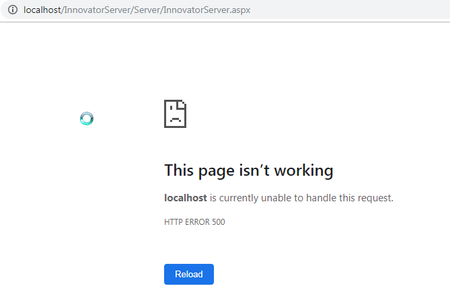
Hi there! I have installed innovator 11 on windows 7. Mircosoft SQL SERVER - 14. Configured IIS from Built-in component of Windows 7 - IIS version is 7.5( as per Microsoft document ) IIS is correctly configured. I have created helloworld asp page and placed in in wwwroot just to be sure IIS runs smoothly and the asp page does run. .However when accessed localhost/.../InnovatorServer.aspx IIS throws the Error - This page isn’t working localhost is currently unable to handle this request. HTTP ERROR 500 Any help is highly appreciated. Thank you Regards, Gautam17KViews0likes5Comments
Could login Aras, but could get data from database.
Hello, I am new to Aras, I have finished installation, and installed language package. could use account "root" and password "innovator" to login. but couldn't get any data from database. and when click "create a new item", will jump out this error message. but I could add new data to SQL database, but couldn't find it in aras interface. Because when I check SQL data from SQL interface, I could see what I have input.2KViews0likes0Comments
Aras Innovator Installation
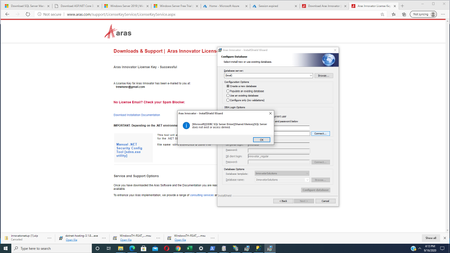
Hallo everyone, I am having trouble installing the Aras Innovator. Here is what I am using: - Administrator Logon Access to IIS Server (Virtual Server) - SQL Express Installation with admin privileges - License Key issued from Aras I used the complete installation method as mentioned in this tutorial video: https://www.aras.com/resources/demos/aras-innovator-11-software-installation-tutorial The Client used is the server as well in this case. However I cannot complete the installation progress with the settings, that were put in when "Configure Database" appears. Here is what I have to choose: - Database Server: I am using a created Database Server called "DLS" So it looks like: Database Server: (local)\DLS When selecting "Create a new database" at Configuration Options, I have to choose "Server authentication using the Login ID and password below" afterwards. When selecting Login ID I put in: sa When selecting Password I put in: Password2018! as selected when creating the login and password. After selecting "Connect..." the next options to choose are Database Login Options. Here I choose the following Logins: DB owner login: innovator Password: Password2018! DB client login: innovator Password: Password2018! as created in SQL Express After selecting Configure Database a window pops up: Database InnovatorSolutions already exists. So then I tried using the option "Populate an exisiting database" in the configuration options. I chose connect for the databse login options and then configure database. Like in the tutorial video the window says: The Innovator database will be installed and configured now. Would you loke to proceed? After choosing "Yes" the following window pops up: It is required that populated database should have user with name "innovator_regular". This user must be associated with any login in SQL Server. So then I tried "Use an existing database" in the configurations options. After selecting The innovator database will be installed and configured now. Would you like to proceed? I chose Yes. After that I can choose Next at the bottom and afterwards "Install". Setup completes and then there a few security settings which need to be selected in the browsers. After that I user the Set .Net Security Tool and choose the URL for the Aras Innovator Installation mentioned in the tutorial video. The log file shows success. Now when trying opening the link localhost... which is also mentioned in the tutorial video the browser shows the following: HTTP Error 404.0 - Not Found Can you help me now? What can I do to successfully test the IE / Mozilla browser?28KViews0likes13Comments