Conversion Task failing due to 'License text is empty' error
Hello Team, I need help with Aras CAD to PDF conversion issue. Conversion task was working earlier, but it is now failing with the below license-related error in Conversion Task errors Event Handler: InvokeStandardConverter Event Type: OnConvert Status: Failed Event Handler Error: Aras.ConversionFramework.Exceptions.EventCallbackErrorException: See inner exception for details: ---> System.Exception ---> System.ServiceModel.FaultException: Error occurred during conversion: Exit Code:1 Command line arguments were: --sc_compute_bounding_boxes "All" --input_pdf_template_file "C:\Aras_Server\12_AutoLEAN\Hoops_Converter\Templates\Blank_Template_L.pdf" --output_pdf "C:\Aras_Server\12_AutoLEAN\ConversionServer\temp\B60C9C5C4F184FA4AB4231D949D24761\shock spring adjustment NUT.pdf" --output_png "C:\Aras_Server\12_AutoLEAN\ConversionServer\temp\B60C9C5C4F184FA4AB4231D949D24761\shock spring adjustment NUT.png" --output_png_resolution "150x150" --output_scs "C:\Aras_Server\12_AutoLEAN\ConversionServer\temp\B60C9C5C4F184FA4AB4231D949D24761\shock spring adjustment NUT.scs" --output_xml_assemblytree "C:\Aras_Server\12_AutoLEAN\ConversionServer\temp\B60C9C5C4F184FA4AB4231D949D24761\shock spring adjustment NUT.xml" --output_prc "C:\Aras_Server\12_AutoLEAN\ConversionServer\temp\B60C9C5C4F184FA4AB4231D949D24761\shock spring adjustment NUT.prc" --background_color "1.0, 1.0, 1.0" --output_logfile "C:\Aras_Server\12_AutoLEAN\ConversionServer\temp\B60C9C5C4F184FA4AB4231D949D24761\shock spring adjustment NUT" --input "C:\Aras_Server\12_AutoLEAN\ConversionServer\temp\B60C9C5C4F184FA4AB4231D949D24761\shock spring adjustment NUT.par" View the following log for details: License log 06/06/2026 09:39:14: Consume ArasCadConverter data was started. 06/06/2026 09:39:15: Server was unable to process request. ---> Aras.Server.Licensing.FeatureLicenseValidationException ---> The feature license you are attempting to use has encountered a restriction. Converter log Converter output License text is empty at System.ServiceModel.Channels.ServiceChannel.HandleReply(ProxyOperationRuntime operation, ProxyRpc& rpc) at System.ServiceModel.Channels.ServiceChannel.EndCall(String action, Object[] outs, IAsyncResult result) at System.ServiceModel.Channels.ServiceChannelProxy.TaskCreator.<>c__DisplayClass1_0.<CreateGenericTask>b__0(IAsyncResult asyncResult) --- End of stack trace from previous location --- at Aras.Server.Conversion.Activities.RunConvertOperationHandler.ExecuteConvertOperationAsync(ConversionServiceClient client, String task, ConversionOperationContext context, Uri conversionServerUrl, ProtocolInfo protocolInfo, IAuthenticator authenticator, Boolean isFirstTry) in C:\Builds\CI\40942\Innovator.git\CompilableCode\Aras.Server.Conversion\Activities\RunConvertOperation\RunConvertOperationHandler.cs:line 135 --- End of inner exception stack trace --- at Aras.ConversionFramework.Models.ConversionTask.<>c__DisplayClass40_0.<OnConvertCompleted>b__1() in C:\Builds\CI\40942\Innovator.git\CompilableCode\ConversionFramework\ConversionManager\Models\ConversionTask.cs:line 254 at Aras.ConversionFramework.Models.ConversionTaskEventHandler.Execute(ConversionTask task) in C:\Builds\CI\40942\Innovator.git\CompilableCode\ConversionFramework\ConversionManager\Models\ConversionTaskEventHandler.cs:line 166 --- End of inner exception stack trace --- at Aras.ConversionFramework.Models.ConversionTaskEventHandler.Execute(ConversionTask task) in C:\Builds\CI\40942\Innovator.git\CompilableCode\ConversionFramework\ConversionManager\Models\ConversionTaskEventHandler.cs:line 170 at Aras.ConversionFramework.Models.ConversionTask.ExecuteEventHandlers(ConversionTaskEventType eventType) in C:\Builds\CI\40942\Innovator.git\CompilableCode\ConversionFramework\ConversionManager\Models\ConversionTask.cs:line 319 This is happening during CAD to PDF conversion using the Conversion Server/HOOPS converter. Though I have already activated all required licenses, but the conversion task is still failing. Please revert me back if somebody has already faced this.149Views0likes1Comment
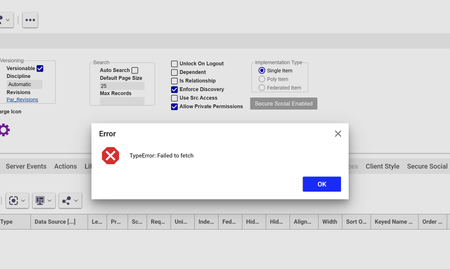
Failed to Fetch error
Hi all, I have been getting a 'failed to fetch' message over the past month when opening and searching across Aras. I get the message and the content usually won't load, but sometimes does. It's very intermittent (few times per week), and I've tried local troubleshooting but am not having any luck getting it to go away permanently. Has anyone seen this? I'm on version 22 (SaaS).248Views1like2Comments
ARAS31 import.mf deployment issue
Hai, We recently upgraded our environment from Aras Innovator 11 to Aras Innovator 31, and we are running into several issues while deploying our solution packages. I wanted to share the details here to see if anyone has faced similar challenges or has suggestions. In Aras 11, we used an import.mf file with the following structure, and everything deployed without issues: <imports> <package name="DatabaseIdentifier" path="com\aras\innovator\DatabaseIdentifier" /> <package name="com.aras.innovator.solution.PLM" path="PLM\Import" /> <package name="com.aras.innovator.solution.Project" path="Project\Import"> <dependson name="com.aras.innovator.solution.PLM" /> </package> <package name="com.aras.innovator.core" path=".\" /> <package name="com.aras.innovator.cui_default" path=".\" /> <package name="Custom_Pkg1" path="CustomPkg1\Import" /> <package name="Custom_Pkg2" path="CustomPkg2\Import" /> </imports> After upgrading to Aras 31, we tried using the same .mf configuration, but we are encountering multiple deployment errors. Issues Observed 1. Null Reference Error Object reference not set to an instance of an object. 2. Method Not Found Error It points to this AML:→ Error: “No items of type Method found.” <Item type='ItemType' id='8052A558B9084D41B9F11805E464F443' action='edit'> <Relationships> <Item type="Server Event" action="add"> <related_id keyed_name="FileOnGet" type="Method"> <Item type="Method" action="get" select="id"> <name>FileOnGet</name> </Item> </related_id> </Item> </Relationships> </Item> Import package 'com.aras.innovator.core' failed with message: No items of type Method not found. 3. Timeout Error During Import The package was then marked as a failed release (seen for custom_Pkg). faultcode: 999 faultstring: System.Net.WebException: The operation has timed out 1. In Aras 31, are we required to use manifest.json instead of the old import.mf format for custom packages? 2. If yes, where exactly should the manifest.json file be placed, and what structure should it follow? 3. How should we handle customizations or extensions to system-level packages like com.aras.innovator.core and com.aras.innovator.cui_default that previously existed in Aras 11? 4. Has anyone encountered the faultcode 999 / timeout issue during import — and how did we resolve it? Thanks in Advance SaliniSolved340Views0likes9Comments
Getting name property mismatch error while changing data type - Text to Date
The Property has data type Text and we are trying to set to Date on that time we are getting : - does not match the required 'name' property pattern: ^[a-zA-Z](\w*| +\w+)*$]] Request: <Item type="ItemType" id="5738793931D64D938F02558135C20FE8" action="add" doGetItem="0"><Relationships><Item type="Property" id="41C87DE9CAC2484DBE736F80016D1C87" action="add"><data_type>date</data_type><pattern>short_date_time</pattern></Item></Relationships></Item> Response: <SOAP-ENV:Envelope xmlns:SOAP-ENV="http://schemas.xmlsoap.org/soap/envelope/"><SOAP-ENV:Body><SOAP-ENV:Fault xmlns:af="http://www.aras.com/InnovatorFault"><faultcode>SOAP-ENV:Server.PatternMismatchException</faultcode><faultstring><*$]]></faultstring><detail><af:legacy_detail><*$]]></af:legacy_detail><af:exception message="The specified value () does not match the required 'name' property pattern: ^[a-zA-Z](\w*| +\w+)*$" type="Aras.Server.Core.PatternMismatchException" /><af:item type="ItemType"><af:property name="name" value="" /></af:item></detail></SOAP-ENV:Fault></SOAP-ENV:Body></SOAP-ENV:Envelope>Solved135Views0likes2CommentsIs there any limitation on number of item to be added in the form for ARAS 11?
Hai , I am working on ARAS 11 th version, There I do have a form with 1005 Items(html,textbox,line,Rectangle,form action….ect.). But I can’t able to add more Items than this. If I try to add new Item The entire form disappear from the workstation , And I have to delete the newly added Item to get the form back. Is there any limitation to add number of Item in ARAS 11? Kindly help me back.207Views1like2Comments
Error - The resource you are looking for has been removed, had its name changed, or is temporarily unavailable
Good day all. This error comes up every now and then, but has happened several times this week. I have seen it trying to add a Method, the main form would not display. One of my users had the problem with trying to access a custom ItemType (main form again), but I did not have the problem. We were in a Skype call at the time and the user was sharing their screen, so we were looking at the same entry at the same time. Last night a user said that they were receiving the error when trying to log in. I had the user clear their cache and they could get in. Does anyone know why this happens? When I was looking through the forums, everything seemed to be from 2016 or older and didn't really have any answers. We are using v11 SP10. Thank you for the help.10KViews0likes8CommentsChange Login Error Based on Disabled Account
Good day all. Is it possible to have a different login error message if an account exists and is disabled? We disable accounts after a specified number of days of inactivity. I would like to have a unique message for people trying to log in and their account is disabled. Thank you for your help.2.3KViews0likes3Comments
Cannot insert the value NULL into column 'NAME',
Hi all, I recently exported updates to the CAD item type from a development environment to our QA testing environment. I am running into an error when updating the NAME property to required: Cannot insert the value NULL into column 'NAME', table 'ArasTest_12sp14.innovator.CAD'; column does not allow nulls. UPDATE fails. The statement has been terminated. in SQL: [ALTERTABLECOLUMN] Any ideas? The field can be updated in the environment in which I exported without issue. Did I maybe miss something in my package definition?Solved5.1KViews0likes2CommentsItem Type issue after Import
Hi Community, Strange issue here. I exported an item type and it necessary relationships over from my development server to my test server. I can create items in the item type just fine. What I can't do - Edit the item type - presented with error "The method 'cui_ivicb_edit_click' failed." The claim flag still checks but no changes can be saved as the UI never updates to allow Save/Done/Discard. I thought this could be a cui issue but the configuration for this matches as well. Nothing special was done to any of the CUI items. The name field is blank on the item type along with a few other discrepancies from the original item as seen in development. When using the Search for or Home screen tile button, the search grid does not load. I have tried re-verifying relationships and exported items. Everything lines up. Any suggestions would be helpful.Solved3.1KViews0likes3Comments