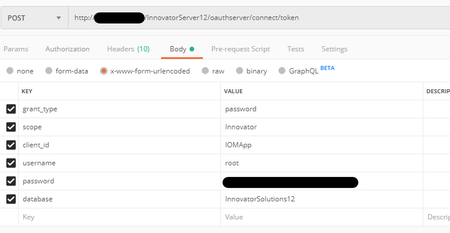
Invalid grant when requesting a token


Hello,
If you have access to the server, could you go to the install location of Aras Innovator and open the /OAuthServer/OAuth.config file. Scroll down to the IOMApp client registry and confirm that the password grant type is supported.
If this grant type is not specified, could you try adding it to see if that resolves your error? You may need to restart IIS on the server after making this change.
Chris

Hello !
Thanks for the answer. Howether, i re installed Aras and the error was gone. But for information, the password grant type was supported. I really don't know what happenned but fortunately my problem is solved.


