How to export TOC with Sort = CUSTOM


Hello,
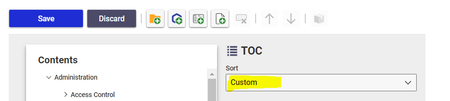
To export a TOC with a custom sort order, you need to modify the "com.aras.innovator.cui_default.toc.xml" file. This file contains the structure and content of the TOC. To customize the sort order, you can add a "sortOrder" attribute to the "TOCItem" element in the XML file and set its value to the desired order.
To export the modified TOC, you can use the same method that you used to export the TOC with alphabetical sort. However, you need to make sure that you select the modified XML file containing the custom sort order.
It's important to note that modifying the default TOC file may affect other users who are using the same TOC. It's recommended to create a copy of the file and modify it instead of modifying the original file.
I hope this helps.!


