Change color of dropdown for specific field
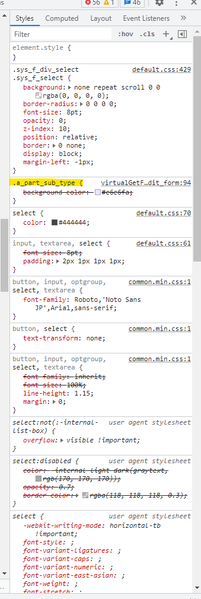


Haven´t you seen the magic you can do with a colored list property?
I did see this however I was looking to have it as a dropdown rather than a list box. Essentially I need the field to be colored in as if it were required but isn't actually required.
Yeah I noticed after clicking "Reply" that you probably were looking for something else.
Dropdowns are bit special. There is the mighty Aras labs sample were they complete 'overchanged' the Form just to show that they can: https://github.com/ArasLabs/custom-form-css
Guess this one was the dropdown but not sure:
/* style dropdown */
${this field rule} .aras-filter-list__input{
}
If you have access to Innovator 14. To what I have heard they changed the default Form layout. Not massive (size still the same) but in a way it´s looks less like 2000s.
Thank you, I think for now we will go with a note that the user needs to input a value on add. We have other processes that create this item without a value for this property so setting it to required is not an option unfortunately.
I know the situation. I right now work on project were I have to merge existing data, were often data is missing. But I want to ensure people in the future add all required values.
In my case I simply got used to add a * to the label as you can see here:
In addition I use a Method that checks if users have to forgot to enter values, e.g. if dropdown is missing. This way you can achieve the same as the "required" checkbox would do, but basically on Client instead on Server level.
Edit: With simply tooltips you can also add more hints to help people not to mess around. Notice the "Pflichtfeld (required field)" in my dropdown. :)


