RESTFul API Delete Method Error 405
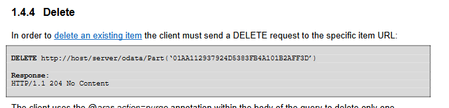
I tried to delete ItemType by following the Document about RESTful API in Aras. For example, PostMan was called as below (DELETE) localhost/.../exItemType ('abcde') If you call it url A 405.0 - Method Not Allowed error message is returned. Additionally, I tried to remove the RelationshipShip for itemType, but the same error occurred. Relationship remove was also carried out according to Document's method. For example, PostMan was called as below (DELETE) localhost/.../$ref This also returns an error of 405. How can I use RESTful to remove itemType?99Views0likes2Comments
Upgrading Aras Innovator Version 11 Service Pack Versions
Hi all, We are currently on Aras Innovator Version 11.0 SP9. From my understanding, the latest service pack available for Version 11.0 is SP15. My question is, is it still possible to upgrade from SP9 to SP15? If so, what would be the effort/duration required to do so? Is it a complicated procedure or a relatively simple one? Thanks!94Views0likes1Comment
Error loading Recipient Relationship tab of DCO and EDR change management giving error when refreshing the CM tab
Hi, when opening ECO/EDR the first time there is no Proplem opening the Recipients Relationship tap, but when opening another a second ECO/EDR the recipients Relationship tap doesnt load. when trying to refresh the item it gives an error message 'The method "cui_ivicb_refresh_click" failed.' only when changing to another relationship tap i can click on refresh with no error, then if changed back to Recipients the recipients list will appear. this issue was not there before the updates were done on .NET code. please help me if you have an idea about this problem and how to approach it. thanks63Views0likes1CommentTrouble Exporting HTML Table to Excel in Aras Innovator Custom Button
Hello everyone, I've been working on a custom button within the search tab for parts in Aras Innovator. The goal is to export a list of specific parts and their properties through a query and display them in an HTML table. Here's a snippet of the code I'm using to convert the HTML table to Excel and download the Excel file: [embed:dc8ab71f-3b98-42d9-b0f6-e21e02a0f8e2:4ac1465e-c931-489c-a19e-bb242bc1c5f6:type=javascript&text=var%20htmlCode%20%3D%60%0A%3Chtml%3E%0A%3Chead%3E%0A%3Cmeta%20http-equiv%3D%27Content-Type%27%20content%3D%27text%2Fhtml%3B%20charset%3Dutf-8%27%20%2F%3E%0A%3Cscript%20src%3D%27https%3A%2F%2Fcdnjs.cloudflare.com%2Fajax%2Flibs%2Fxlsx%2F0.16.9%2Fxlsx.full.min.js%27%3E%3C%2Fscript%3E%0A%3Cscript%20src%3D%27https%3A%2F%2Fcdnjs.cloudflare.com%2Fajax%2Flibs%2FFileSaver.js%2F2.0.5%2FFileSaver.min.js%27%3E%3C%2Fscript%3E%0A%3Cscript%3E%0Afunction%20substituteTableToExcel%28%29%7B%0Avar%20table%20%3D%20document.getElementById%28%27all_Parts_AML%27%29%3B%0Avar%20sheet_name%20%3D%20%27ALL_Parts_AML%27%3B%0Avar%20workbook%20%3D%20XLSX.utils.table_to_book%28table%2C%20%7Bsheet%3A%20sheet_name%2C%20cellStyles%3A%20true%7D%29%3B%0Avar%20wbout%20%3D%20XLSX.write%28workbook%2C%20%7B%20bookType%3A%20%27xlsx%27%2C%20bookSST%3A%20true%2C%20type%3A%20%27array%27%2C%20cellStyles%3A%20true%20%7D%29%3B%0AsaveAs%28new%20Blob%28%5Bwbout%5D%2C%20%7B%20type%3A%20%27application%2Foctet-stream%27%20%7D%29%2C%20%27ALL_Parts_AML.xlsx%27%29%3B%0A%7D%0Adocument.addEventListener%28%27DOMContentLoaded%27%2C%20function%28%29%20%7B%0AsubstituteTableToExcel%28%29%3B%0A%7D%29%3B%0A%3C%2Fscript%3E%0A%3Clink%20rel%3D%27stylesheet%27%20type%3D%27text%2Fcss%27%20href%3D%27styles.css%27%3E%0A%3C%2Fhead%3E%0A%3Cbody%3E%0A%24%7BexcelTable%7D%0A%3C%2Fbody%3E%0A%3C%2Fhtml%3E%60%3B] return htmlCode; I'm encountering issues with the export functionality. When I click the custom button, the HTML table is generated correctly, but the Excel file download doesn't seem to work. Could someone kindly review the code snippet above and provide any insights or suggestions on how to troubleshoot and resolve this issue? I would greatly appreciate it. Thank you in advance! Version 12.0 SP8Solved143Views0likes2Comments
Unable to set the default value in dropdown
I am having one drop down box in the form. Where it showing all the list of values in dropdown. But, I need to display default selected value from the relational grid and display it in dropdown box along with list of value. I tried to assign default value by document.getElementById("Maindataform") .Textbox1.value="Text"; But is not showing in dropdown default value. Any suggestion72Views0likes1Comment
Error when try to upload a file ARAS 12
When I try to upload a file in my Item Type, I receive the error Multiple Errors: DoPhysicalFiles - SendRequestToVaultServer: invalid_client -, it was working normally, but today start to show this issue. Someone pass by this issue and can help me? Thanks a lot.365Views0likes4Comments
Instruction: Hiding the Open in Office Button
Hello everyone, Here is a short instruction on how to hide the Open in Office (Microsoft Office Connector) Button when viewing document items. This can be done without uninstalling / disabling MSO in case you want to prevent users from using the Toolbar Action button. Before: After: This can be achieved by taking these steps: Go to the root \Innovator installation directory of your Innovator instance Navigate to \Innovator\Client\styles Append common.min.css with the following CSS: [data-id="MSO_OpenInOfficeMenuButton"]{display: none!important;} I recommend also updating the regular common.css file with the same CSS but indented Save, clear browser cache and reload the Innovator webpage I hope this helps. All the best from Almelo. Daan1.8KViews0likes3CommentsLink in children's Item Type view to the parent's Item Type view
Hello everyone, Try explain, my scenario: I have the Item Types related: 1° Item type Authorization. 2° Item type AuthorizationTittle. 3° Item type AuthorizationTittleRelation (only to related). I need add a link or buton in AuthorizationTittle with a phisical link/url to open a view of your Authorization Parent. Thanks.Solved6.1KViews0likes12Comments