View all generation on query definition child parent
オフライン
Hello, how can I display all generations of my Part by applying a filter in my query definition? I'm in the case of a child-parent relationship.
I read the builder guide but the examples are mostly in the parent-child direction.I work on Aras 22.Thank you.

Parents
  • Hi Nico,

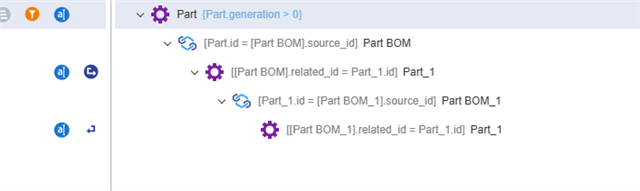
    You should be able to apply a condition on the top-level part like `generation > 0` in order to get all generations the Parts.

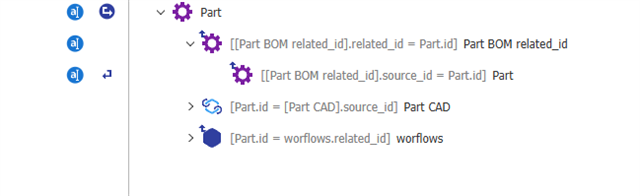
    Depending on your exact use case, this may come with a caveat. I think what you're trying to do is see the full BOM structure for each generation of the top-level Part. In order to do that, you couldn't re-use the top-level element to do your recursive query or else you'd end up with a messy BOM structure containing every version of the child Parts as well. However, this is easily resolved by keeping the top-level part separate and using recursion on the Part BOM relationship like the example below:

    Hope this helps!

  • Hello, thank you for your reply, my use is in the search for use cases of components from the lowest level to the highest (child to parent). Your method is in the parent to child direction, can I adapt your method to mine thank you again.
  • You should be able to adapt this. The important bit is the `generation > 0` condition that you'll need to see all versions of the part which should work even if you flip this to a child -> parent relationship. 

  • オフライン in reply to NicoD

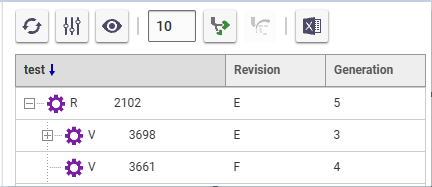
    Hello, after several attempts I can't get the revisions of the top article and the lower articles to be displayed using the generation parameter >0. Is there another parameter to add in the tree grid or in the query definition, or even in the properties of the Part and Part Bom type items? Thank you.

  • オフライン in reply to NicoD

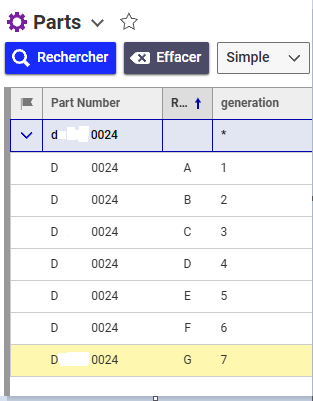
    Hello, when I am in the general search grid by putting generation * it works.

    But the tgv definition query that I created is in the article at the last revision. The link between the different versions seems to be broken when I search in the part directly. Would adding a "version_id" property in the Part type item allow to reestablish the link in the article. Thank you

  • オフライン in reply to NicoD

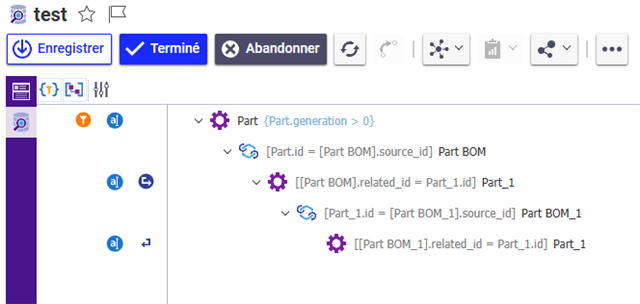
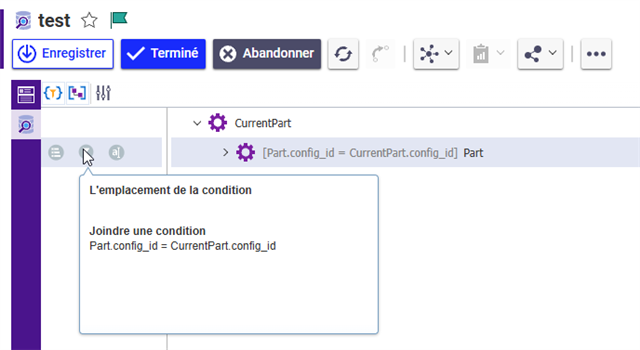
    Hello community, a little feedback, I succeeded here is the method that I used in my query definition. I use the config_id of an article which is linked to all its revisions.

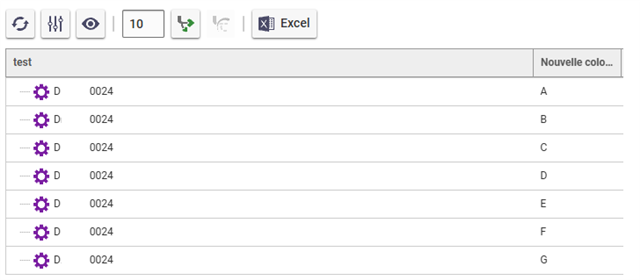
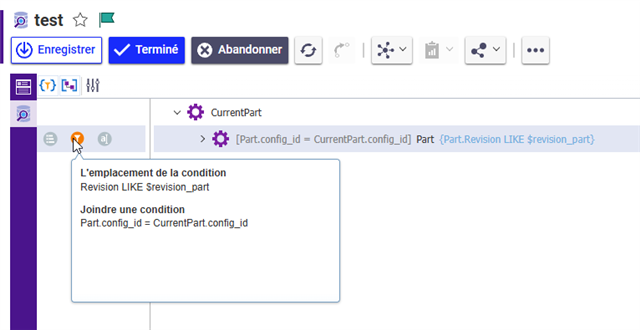
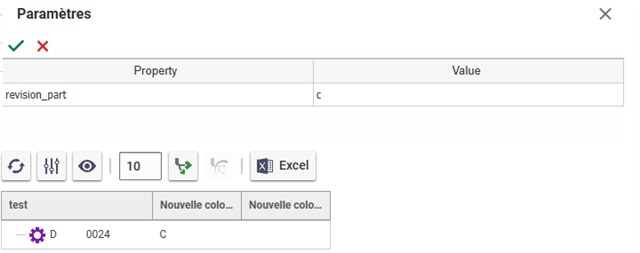
    In my search I retrieve all the revisions of an article, then we can apply a filter to display the revision we want.

    Filter installation

    Topic closed, I hope this helps other members, thanks to Christopher

Reply
  • オフライン in reply to NicoD

    Hello community, a little feedback, I succeeded here is the method that I used in my query definition. I use the config_id of an article which is linked to all its revisions.

    In my search I retrieve all the revisions of an article, then we can apply a filter to display the revision we want.

    Filter installation

    Topic closed, I hope this helps other members, thanks to Christopher

Children
No Data